Back to Blog
Best Practices
How Workflow Automation Works: Explained
Unlock efficiency and understand how workflow automation, to boost your productivity by learning its core concepts and functioning.
November 23, 2025
10 min read

In the simplest terms, workflow automation is the use of technology to execute a series of tasks without the need for manual intervention. It acts as the "connective tissue" between your various software tools, ensuring that data moves seamlessly from one system to another based on predefined rules.
Instead of a human employee manually copying a lead's email from a website form into a CRM, workflow automation handles the transfer instantly. It transforms fragmented, manual chores into a streamlined digital "flow," allowing your team to focus on high-value strategy rather than repetitive data entry.
How Does Workflow Automation Work? The Mechanics of the Flow
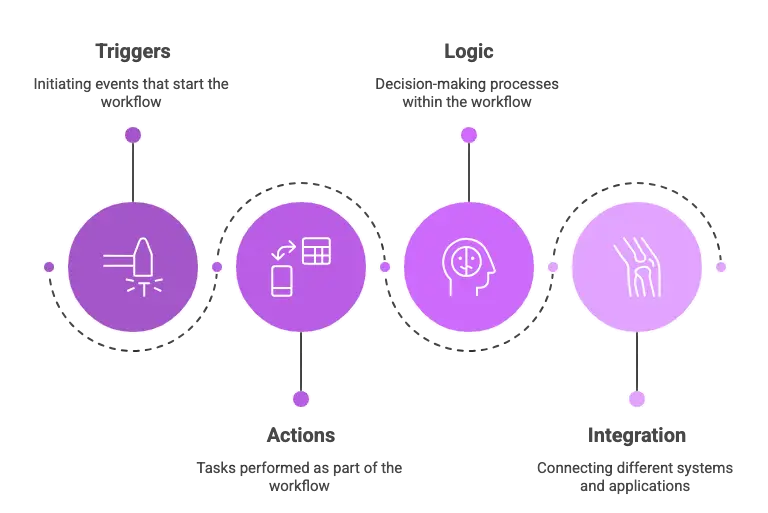
The core of every automated workflow is built on a simple logic known as "If This, Then That" . To understand the mechanics, we look at four fundamental components: the trigger, action,logic, and integration.
1. Triggers: The Starting Gun
The Trigger is the specific, pre-defined event that initiates the entire automated process. Without a trigger, the flow simply waits. For example: A new customer fills out a lead form, a file is uploaded to Google Drive, a payment is marked as "received," or a project status changes to "complete."
2. Actions: The Tasks Executed
Actions are the specific tasks that follow the trigger. They are the "doing" part of the automation. A single workflow can contain dozens of sequential or parallel actions. For example:Sending an email notification, creating a new row in a spreadsheet, updating a CRM record, creating a new task in a project management tool, or generating a PDF invoice.
3. Logic: The Brain of the Operation
Logic refers to the conditional rules and branching mechanisms that decide what happens next. This is where automation moves beyond simple sequence and becomes truly smart.
- Conditional Rules: The classic “If this, then that” step. For instance: IF the lead source is "Facebook," THEN assign it to the social media manager; ELSE assign it to the sales manager.
- Filters and Routers: These direct data down different paths based on specific criteria. For example, filtering out all sales under $100 before sending a notification to the CFO.
4. Integration: The Connective Tissue
Integration is the fundamental technical capability that allows different tools and platforms to "talk" to each other so data flows between them without manual copying. This is often handled through APIs (Application Programming Interfaces). Modern automation tools, whether simple like IFTTT or complex like Make, abstract this technical complexity, allowing you to connect thousands of apps just by logging in and clicking.
By combining these elements, you craft tailored flows that mirror your unique business needs. Tools can be simple or complex, but the principle remains: automate the boring bits to elevate your work.
What are the Benefits of Using Workflow Automation?
The impact of automation on a business is often immediate and measurable. By implementing these digital flows, companies typically see:
- Massive Time Savings: Automations can handle in seconds what would take a human hour. This allows employees to reclaim their schedules for creative and revenue-generating work.
- Elimination of Human Error: They move data with 100% accuracy, preventing the "typos" that can lead to lost leads or billing mistakes, ensuring you avoid costly automation mistakes.
- Speed to Lead: In sales, response time is everything. Automation can help with AI lead generation to ensure a prospect gets a reply the moment they express interest, significantly increasing conversion rates.
- Scalability: As your business grows, your manual workload shouldn't. Automated systems can handle 1,000 tasks as easily as 10, allowing you to scale without linearly increasing your headcount.Here are the complete stats on, will automation replace the human job?
Examples of Workflow Automation
Aside from just matching bank transactions, there are widespread benefits of automation in accounting that can transform the entire financial lifecycle of your business.
| Department | The Trigger (Event) | The Automated Action (Result) | Business Value |
|---|---|---|---|
Marketing | New Webinar Registration | Adds contact to email sequence and sets up engagement scoring. | Nurtures leads without manual follow-up. |
Sales | New Calendly Appointment | Syncs details to CRM and generates a unique Zoom meeting link. | Zero friction for scheduling and record keeping. |
Finance | New Payment in Stripe | Instantly creates a matching invoice in QuickBooks or Xero. | Accurate bookkeeping with zero data entry. |
HR | Candidate marked as "Hired" | Sends a contract for signature and alerts IT to create an email account. | Seamless onboarding for a professional first impression. |
How to Implement Workflow Automation?
Implementing automation doesn't have to be a daunting technical project. Follow these five steps to get started.
Step 1: Identify the Bottleneck
The first step is to look for a repetitive, high-volume task that is currently eating your team's time or causing a delay in your operations. Focus on "low-hanging fruit"—tasks that are predictable and follow a consistent set of rules, such as manually moving lead data from an email to a spreadsheet. (A professional process optimization audit can help you quickly uncover these hidden bottlenecks).
Step 2: Map the Manual Process
Before touching any software, you must clearly define the workflow. Write down every single click, decision point, and data field involved in the current manual version of the task. Understanding exactly where the data starts and where it needs to end up is crucial for building logic-based automation.
Step 3: Choose Your Tools
Select an automation platform that natively supports the apps you already use. Platforms like Make, Zapier, or n8n act as the bridge between your software. Ensure the tool you pick can handle the complexity of your workflow, such as requiring filters or multi-step actions.
Step 4: Build and Test
Using your chosen platform, map your data from the initial trigger to the final action. It is essential to run a test with "dummy" or sample data before going live. This ensures that every field maps correctly and the information lands in the right place without formatting errors.
Step 5: Activate and Monitor
Once you are confident in the logic, turn the workflow on to let it run autonomously. However, automation is not "set it and forget it." You should check your task history regularly to ensure it is running smoothly and to troubleshoot any API updates or credential changes that might occur over time.
By following this framework, you ensure that your automations are robust, reliable, and truly beneficial to your bottom line. If you need expert assistance in mapping your complex business logic, explore our AI automation services.
Features to Look for While Picking a Workflow Automation Platform
Not all automation tools are created equal. When selecting a platform, prioritize these four features:
- No-Code Visual Builder: You shouldn't need a computer science degree to build a flow. Look for drag-and-drop interfaces that make logic easy to visualize. While code isn't required, proper automation training ensures your team understands integration best practices from day one.
- Extensive Integration Library: Ensure the tool connects to the specific apps you use (e.g., Salesforce, Slack, Shopify, etc.).
- Advanced Logic (Paths and Filters): Your business isn't always linear. You need a tool that can handle "if/else" scenarios.
- Error Handling: Look for a system that notifies you if an automation fails and allows you to "re-run" the task once the issue is fixed.
Flowlyn: A Fresh Take on Workflow Automation Service
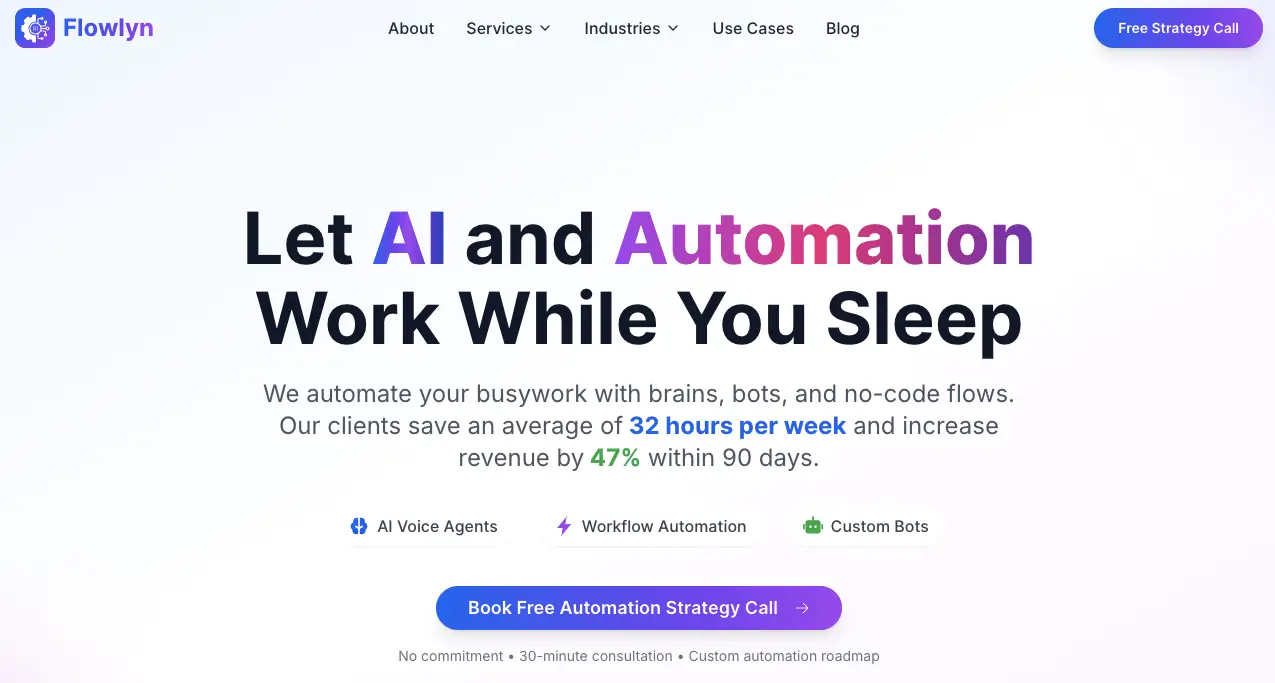
Flowlyn offers a modern, done-for-you workflow automation service that blends powerful automation with a simple, visual approach anyone can understand. Instead of giving you a complicated software platform to figure out, Flowlyn builds and manages custom automation systems for your business—so you get the benefits without the technical hassle.
What makes Flowlyn refreshing is how it combines CRM-style organization with automation-driven efficiency. Our service helps you streamline lead tracking, invoicing, task assignments, follow-ups, and more, all tailored to fit your exact processes.
Think of us as your behind-the-scenes digital partner. We create automated flows that match your sales pipeline or project workflow so everything runs smoothly without you juggling multiple tools.
Flowlyn is a fully managed service that builds the automation system your business needs.
Whether you need to automate your lead generation funnel including conversational AI or build custom API integrations, our team handles the technical heavy lifting so you can focus on leading your company.
Get Started with Workflow Automation
The most expensive way to run a business is to pay humans to act like robots. By embracing workflow automation, you aren't just saving time—you are future-proofing your business.
Ready to see how much time your team can reclaim? Explore our full range of AI and automation services here.

About Divyesh Savaliya
Divyesh leads Flowlyn with 12+ years of experience designing AI-driven automation systems for global teams.
In This Article